
Search Results
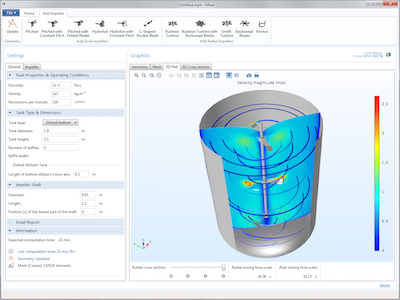
Geometry Modeling in Simulation Apps
See how to use cumulative selections and geometry parts when creating simulation apps that can be used to model geometries based on parameterized CAD models.
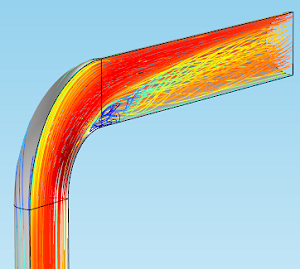
Visualizing Fluid Flow with Streamline Plots
As part of our blog series on postprocessing, we demonstrate the use of streamlines to visually describe fluid flow in your simulations. Learn how with an example of flow through a pipe elbow.
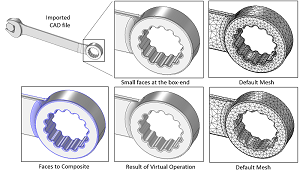
Using Virtual Operations to Simplify Your Geometry
CAD geometry: A set of data structures that provide a very precise method for describing the shapes of parts (called boundary representation, or B-rep).
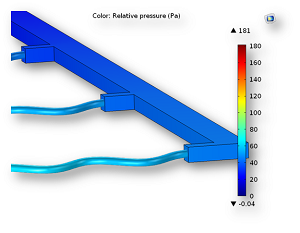
How to Easily Connect 1D Pipes to 3D Flow Domains
You can easily connect 1D pipes to 3D flow domains for your pipe flow simulations using a feature in the Pipe Flow Module available as of COMSOL Multiphysics® version 5.0.
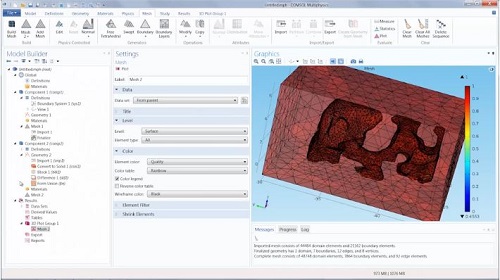
Create Geometry from an Imported Mesh
Did you know that as of COMSOL Multiphysics® version 5.0, imported meshes can easily be converted into solid geometry objects for further investigation and modeling capabilities?

COMSOL Multiphysics 5.0 Brings User Interface Improvements
Updates to the COMSOL Multiphysics® UI ribbon with version 5.0 include: change in color scheme, additional multiphysics interfaces, a materials tab, global materials, and more.

COMSOL Multiphysics® Version 5.0 Now Available
COMSOL Multiphysics® version 5.0 includes the revolutionary Application Builder, which lets you transform multiphysics models into user-friendly interfaces with predefined inputs and outputs.
Keynotes from the COMSOL Conference 2014 Cambridge
Whirlpool R&D, Bang & Olufsen, Xaar: These 3 companies gave keynote presentations at the COMSOL Conference 2014 Cambridge. Get the highlights here…