
The Application Gallery features COMSOL Multiphysics® tutorial and demo app files pertinent to the electrical, structural, acoustics, fluid, heat, and chemical disciplines. You can use these examples as a starting point for your own simulation work by downloading the tutorial model or demo app file and its accompanying instructions.
Search for tutorials and apps relevant to your area of expertise via the Quick Search feature. Note that many of the examples featured here can also be accessed via the Application Libraries that are built into the COMSOL Multiphysics® software and available from the File menu.
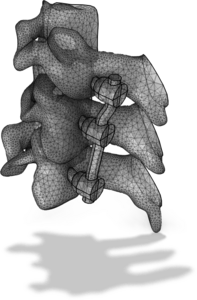
Follow this tutorial series to learn about how to work with imported surface meshes. The instructions detail how to import STL files of three vertebrae and two intervertebral discs as well as how to repair holes, misaligned mesh vertices, and intersecting elements. It further ... Read More
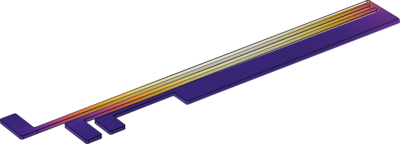
This tutorial model of a two-hot-arm thermal actuator couples three different physics phenomena: electric current conduction, heat conduction with heat generation, and structural stresses and strains due to thermal expansion. The model exists in three versions: Joule Heating of a ... Read More
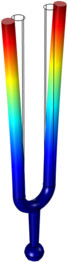
This app demonstrates the following: Playing a sound at a specific computed frequency Selecting different materials from a combo box Visualizing material appearance, color, and texture Choice of three different user interface layouts for computer, tablet, or smartphone Custom ... Read More
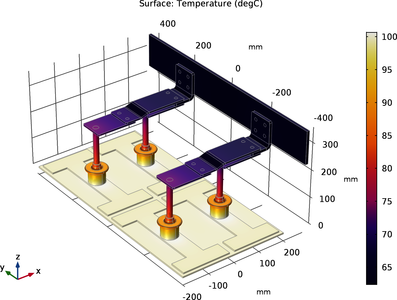
This tutorial analyzes the resistive heating (Joule heating) of a busbar assembly designed to conduct a direct current from a current source to the anode in an electrolysis process. Read More
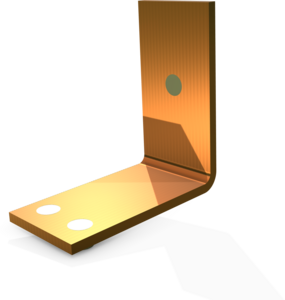
This is a template MPH-file containing the physics interfaces and the parameterized geometry for the model Electrical Heating in a Busbar. Read More
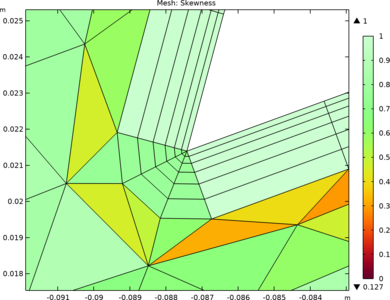
Tutorials in this series deal with creating and manipulation of boundary layer meshes. In these tutorials you will learn how to set up a boundary layer mesh and modify the settings for an automatically created boundary layer mesh. For physics-controlled meshing a boundary layer mesh is ... Read More
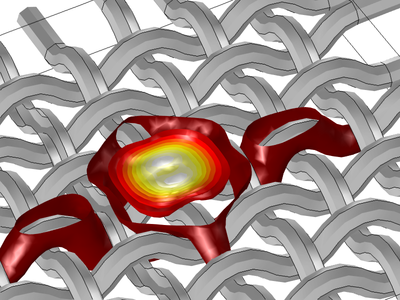
This model and presentation show how to model anisotropic properties of fibers in a heat transfer simulation. Because the fibers' orientation is not easy to define explicitly, the curvilinear coordinate interface is used to define the fiber orientation. The fibers have high thermal ... Read More
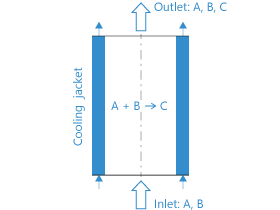
This alternative version of the Tubular Reactor app demonstrates how computational speed can be significantly increased by using a surrogate model instead of a full finite element model. A surrogate model is a simplified, computationally efficient approximation of a more complex and ... Read More


