
The Application Gallery features COMSOL Multiphysics® tutorial and demo app files pertinent to the electrical, structural, acoustics, fluid, heat, and chemical disciplines. You can use these examples as a starting point for your own simulation work by downloading the tutorial model or demo app file and its accompanying instructions.
Search for tutorials and apps relevant to your area of expertise via the Quick Search feature. Note that many of the examples featured here can also be accessed via the Application Libraries that are built into the COMSOL Multiphysics® software and available from the File menu.

This demonstration app will fit a surface through a set of points using radial basis functions and will write out a COMSOL-format file of a smooth NURBS surface that passes through all of the points. The function describing the surface can also be written to a text file. The point data ... Read More

This model presents a way to compute projected area using the Surface-to-Surface Radiation interface of the Heat Transfer Module. By computing illuminated area from a set of directions on a discretized sphere, it is possible to interpolate the projected area onto any angle of incidence. ... Read More
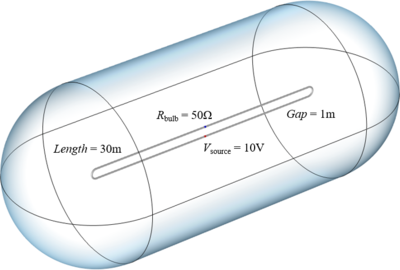
This model is used to demonstrate the solution to a classic brainteaser in electromagnetics. A long loop of wire is connected to a source and a receiver, which are placed 1 meter apart. The objective of the model is to compute how long it takes for the receiver to sense when the source ... Read More
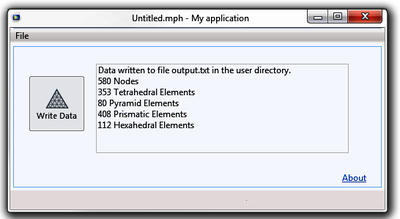
This example exemplifies how you can export the data from your mesh and results to a text file. A more detailed description of the phenomenon and the modeling process can be seen in the blog post "Exporting Meshes and Solutions Using the Application Builder". Read More


