
The Application Gallery features COMSOL Multiphysics® tutorial and demo app files pertinent to the electrical, structural, acoustics, fluid, heat, and chemical disciplines. You can use these examples as a starting point for your own simulation work by downloading the tutorial model or demo app file and its accompanying instructions.
Search for tutorials and apps relevant to your area of expertise via the Quick Search feature. Note that many of the examples featured here can also be accessed via the Application Libraries that are built into the COMSOL Multiphysics® software and available from the File menu.
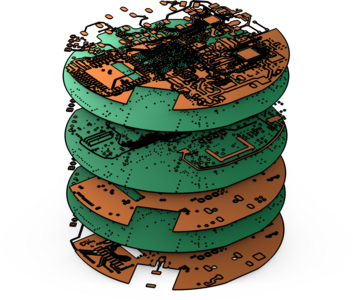
This tutorial series demonstrates how to import printed circuit board (PCB) data from the IPC-2581 file format and generate simulation-ready geometry. Key topics include selecting the import type, handling drill layers, creating simplified 3D components and pads, and previewing file ... Read More

The majority of 3D CAD files include only the geometry of the product to be manufactured. For finite element analysis, however, you find yourself often in a situation where additional geometry is needed, for example, to analyze the flow inside or outside a device. This tutorial, ... Read More
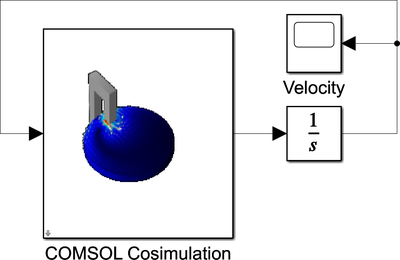
A magnetic brake consists of a permanent magnet, which induces currents in a rotating copper disk. The resulting eddy currents interact with the magnetic flux to produce Lorentz forces and subsequently a braking torque. The disk angular velocity is computed using Simulink®. Read More
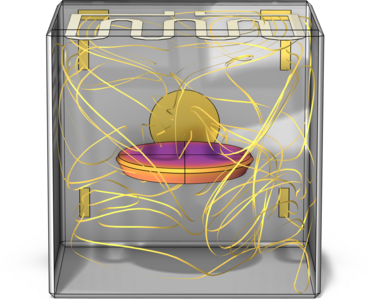
This example models the heating inside an oven with the Single Phase Flow, Heat Transfer and Surface-to-Surface Radiation interfaces. It accounts for conductive, convective and radiative heat transfer. Two computation approaches are set up: A one-way nonisothermal flow (one-way NITF) ... Read More
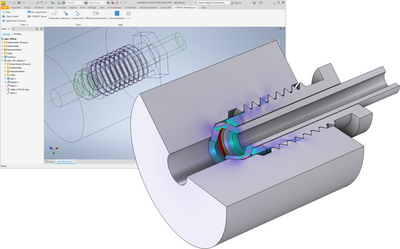
This tutorial model shows the setup of a 2D axisymmetric stress analysis, through contact, of a 3D threaded pipe fitting. The example involves synchronizing the 3D Inventor® geometry and selections, which specify the faces in contact, with the 2D geometry in COMSOL Multiphysics ... Read More

This tutorial model shows how to import data from an ODB++® archive to generate a geometry of a printed circuit board (PCB). Follow the instructions to learn how to remove small details from the geometry, create a mesh, and use automatically generated selections to define physics and ... Read More

This collection of examples demonstrates how to use the COMSOL® API with the Java® programming language, as described in the Application Programming Guide under Programming Examples. Please note that these examples are simplified for clarity and do not include error handling or ... Read More
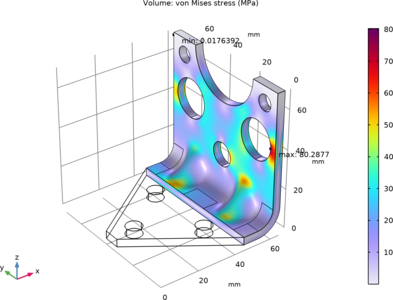
In these tutorial series, we demonstrate how to use the Offset Faces and Transform Faces operations as a way to reparameterize existing holes in a bracket geometry imported from a STEP file. The mass of the bracket is minimized with limits for both the lowest natural frequency, and for ... Read More
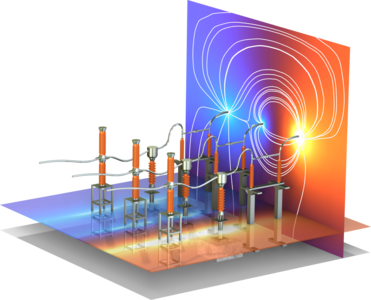
Breaker and disconnector devices are widely used in AC substations in power systems.In this model, the Electrostatics Interface is used to simulate the electric potential and electric field in a 110kV 3-phase high-voltage switchgear operating at 50 Hz. A surrogate model is also trained ... Read More
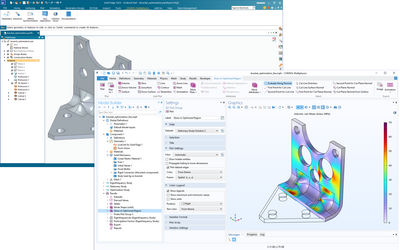
This tutorial minimizes the mass of a bracket that is synchronized from Solid Edge® via the LiveLink™ interface. There are limits both for the lowest natural frequency, and for the maximum stress in a static load case. The size and position for a number of geometrical features ... Read More


