
Video Gallery
Featured Videos
Duration: 5:57
Showing and Hiding Geometric Entities in COMSOL Multiphysics®
You can hide parts of your model geometry using many tools and functionality within COMSOL Multiphysics®. This is helpful when trying to select geometric entities that are hard to reach ...
Duration: 3:55
Highlighting Geometric Entities in COMSOL Multiphysics® with Color
When setting up a simulation in COMSOL Multiphysics®, you need to select geometric entities in order to apply settings to your model, such as when applying definitions, specifying ...
Duration: 10:41
Selecting Geometric Entities in COMSOL Multiphysics®
When setting up a simulation, there are many instances in which you will need to select geometric entities, such as domains or boundaries, in your model. COMSOL Multiphysics® contains many ...
Duration: 2:56
Customizing the Appearance of the COMSOL Server™ User Interface
You can customize the look-and-feel of COMSOL Server™ to match your organization's branding guidelines, as of version 5.2a of the software. For example, you can include your own colors, ...
Duration: 9:31
Using Boolean and Adjacent Selections in COMSOL Multiphysics®
When setting up your simulation, you can use selections to represent different parts of your geometry. This can be helpful in many instances, such as when you are specifying materials, applying ...

Duration: 17:56
Keynote: Improving Oil Recovery Methods with Simulation
In his keynote presentation at the COMSOL Conference 2015 Grenoble, Sébastien Cambon of the Open and Experimental Centre for Heavy Oil (CHLOE) discusses his organization's work to find more energy ...
Duration: 8:08
How to Use Explicit Selections to Organize Your Model Setup
When setting up a model, it can be a cumbersome task to keep track of the settings that are applied to the geometry. This is especially the case for complex simulations, such as those involving ...
Duration: 4:53
Utilizing Geometric Measurements in COMSOL Multiphysics®
In COMSOL Multiphysics®, the Measure tool provides you with the functionality to measure geometric quantities such as volume, area, length, spatial coordinates, distance, and the assigned ...
Duration: 24:22
Keynote: Multiphysics Simulation for Carbon and Graphite Applications
In his presentation from the COMSOL Conference 2015 Boston, Rick Beyerle from GrafTech discusses three cases in which his organization uses simulation for thermal management applications of carbon ...

Duration: 25:20
Keynote: Enhancing Welding Applications with Simulation
In his keynote presentation at the COMSOL Conference 2015 Grenoble, Sadok Gaied of ArcelorMittal Global R&D discusses analyzing the welding process for laser-welded blanks (LWBs) using numerical ...

Duration: 19:09
Keynote: Multiphysics Simulation Analysis Loudspeaker Drivers
In his keynote presentation at the COMSOL Conference 2015 Grenoble, Roberto Magalotti of B&C Speakers discusses how his organization uses a multiphysics simulation approach to analyze the design ...
Duration: 1:01:49
Postprocessing and Visualizing COMSOL Simulation Results
In this archived webinar, learn how to postprocess and analyze your numerical simulation results in COMSOL Multiphysics®. We demonstrate how to evaluate data along lines and surfaces; ...
Duration: 5:39
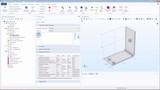
Using the Graphics Window to Customize Model Visualizations
In COMSOL Multiphysics®, the Graphics window provides you with interactive graphics for the geometry, mesh, and results of your model. In addition, the Graphics window toolbar provides you ...
Duration: 4:45
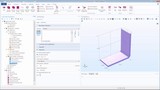
Using the COMSOL Desktop® Modeling Environment
In COMSOL Multiphysics®, the COMSOL Desktop® user interface provides a modeling environment for creating, analyzing, and visualizing multiphysics models and applications. This ...
Duration: 7:10
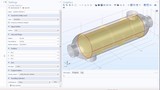
How to Use Coordinate-Based Selections in Your Model Setup
When setting up models, it is often helpful to use selections to represent various parts of your geometry. These selections can then be utilized for all of the steps in creating your simulation, ...
Duration: 5:57
Showing and Hiding Geometric Entities in COMSOL Multiphysics®
You can hide parts of your model geometry using many tools and functionality within COMSOL Multiphysics®. This is helpful when trying to [select geometric entities](/video/selecting-geometric-entities ...
Duration: 3:55
Highlighting Geometric Entities in COMSOL Multiphysics® with Color
When setting up a simulation in COMSOL Multiphysics®, you need to select geometric entities in order to apply settings to your model, such as when ...
Duration: 10:41
Selecting Geometric Entities in COMSOL Multiphysics®
When setting up a simulation, there are many instances in which you will need to select geometric entities, such as domains or boundaries, in your model. COMSOL Multiphysics® contains many functionalities ...
Duration: 2:56
Customizing the Appearance of the COMSOL Server™ User Interface
You can customize the look-and-feel of COMSOL Server™ to match your organization's branding guidelines, as of version 5.2a of the software. For example, you can include your own colors, logos, and ...
Duration: 9:31
Using Boolean and Adjacent Selections in COMSOL Multiphysics®
When setting up your simulation, you can use selections to represent different parts of your geometry. This can be helpful in many instances, such as when you are specifying materials, applying ...
Duration: 17:56
Keynote: Improving Oil Recovery Methods with Simulation
In his keynote presentation at the COMSOL Conference 2015 Grenoble, Sébastien Cambon of the Open and Experimental Centre for Heavy Oil (CHLOE) discusses his organization's work to find more energy ...
Duration: 8:08
How to Use Explicit Selections to Organize Your Model Setup
When setting up a model, it can be a cumbersome task to keep track of the settings that are applied to the geometry. This is especially the case for complex simulations, such as those involving ...
Duration: 4:53
Utilizing Geometric Measurements in COMSOL Multiphysics®
In COMSOL Multiphysics®, the Measure tool provides you with the functionality to measure geometric quantities such as volume, area, length, spatial coordinates, distance, and the assigned geometric entity ...
Duration: 24:22
Keynote: Multiphysics Simulation for Carbon and Graphite Applications
In his presentation from the COMSOL Conference 2015 Boston, Rick Beyerle from GrafTech discusses three cases in which his organization uses simulation for thermal management applications of carbon ...
Duration: 25:20
Keynote: Enhancing Welding Applications with Simulation
In his keynote presentation at the COMSOL Conference 2015 Grenoble, Sadok Gaied of ArcelorMittal Global R&D discusses analyzing the welding process for laser-welded blanks (LWBs) using numerical ...
Duration: 19:09
Keynote: Multiphysics Simulation Analysis Loudspeaker Drivers
In his keynote presentation at the COMSOL Conference 2015 Grenoble, Roberto Magalotti of B&C Speakers discusses how his organization uses a multiphysics simulation approach to analyze the design of ...
Duration: 1:01:49
Postprocessing and Visualizing COMSOL Simulation Results
In this archived webinar, learn how to postprocess and analyze your numerical simulation results in COMSOL Multiphysics®. We demonstrate how to evaluate data along lines and surfaces; compute derived ...
Duration: 5:39
Using the Graphics Window to Customize Model Visualizations
In COMSOL Multiphysics®, the Graphics window provides you with interactive graphics for the geometry, mesh, and results of your model. In addition, the Graphics window toolbar provides you with the ...
Duration: 4:45
Using the COMSOL Desktop® Modeling Environment
In COMSOL Multiphysics®, the COMSOL Desktop® user interface provides a modeling environment for creating, analyzing, and visualizing multiphysics models and applications. This consists of many tools, menus, and ...
Duration: 7:10
How to Use Coordinate-Based Selections in Your Model Setup
When setting up models, it is often helpful to use selections to represent various parts of your geometry. These selections can then be utilized for all of the steps in creating your simulation, ...
Duration: 5:57
Showing and Hiding Geometric Entities in COMSOL Multiphysics®
You can hide parts of your model geometry using many tools and functionality within COMSOL Multiphysics®. This is helpful when trying to [select geometric entities](/video/selecting-geometric-entities ...
Duration: 3:55
Highlighting Geometric Entities in COMSOL Multiphysics® with Color
When setting up a simulation in COMSOL Multiphysics®, you need to select geometric entities in order to apply settings to your model, such as when ...
Duration: 10:41
Selecting Geometric Entities in COMSOL Multiphysics®
When setting up a simulation, there are many instances in which you will need to select geometric entities, such as domains or boundaries, in your model. COMSOL Multiphysics® contains many functionalities ...
Duration: 2:56
Customizing the Appearance of the COMSOL Server™ User Interface
You can customize the look-and-feel of COMSOL Server™ to match your organization's branding guidelines, as of version 5.2a of the software. For example, you can include your own colors, logos, and ...
Duration: 9:31
Using Boolean and Adjacent Selections in COMSOL Multiphysics®
When setting up your simulation, you can use selections to represent different parts of your geometry. This can be helpful in many instances, such as when you are specifying materials, applying ...
Duration: 17:56
Keynote: Improving Oil Recovery Methods with Simulation
In his keynote presentation at the COMSOL Conference 2015 Grenoble, Sébastien Cambon of the Open and Experimental Centre for Heavy Oil (CHLOE) discusses his organization's work to find more energy ...
Duration: 8:08
How to Use Explicit Selections to Organize Your Model Setup
When setting up a model, it can be a cumbersome task to keep track of the settings that are applied to the geometry. This is especially the case for complex simulations, such as those involving ...
Duration: 4:53
Utilizing Geometric Measurements in COMSOL Multiphysics®
In COMSOL Multiphysics®, the Measure tool provides you with the functionality to measure geometric quantities such as volume, area, length, spatial coordinates, distance, and the assigned geometric entity ...
Duration: 24:22
Keynote: Multiphysics Simulation for Carbon and Graphite Applications
In his presentation from the COMSOL Conference 2015 Boston, Rick Beyerle from GrafTech discusses three cases in which his organization uses simulation for thermal management applications of carbon ...
Duration: 25:20
Keynote: Enhancing Welding Applications with Simulation
In his keynote presentation at the COMSOL Conference 2015 Grenoble, Sadok Gaied of ArcelorMittal Global R&D discusses analyzing the welding process for laser-welded blanks (LWBs) using numerical ...
Duration: 19:09
Keynote: Multiphysics Simulation Analysis Loudspeaker Drivers
In his keynote presentation at the COMSOL Conference 2015 Grenoble, Roberto Magalotti of B&C Speakers discusses how his organization uses a multiphysics simulation approach to analyze the design of ...
Duration: 1:01:49
Postprocessing and Visualizing COMSOL Simulation Results
In this archived webinar, learn how to postprocess and analyze your numerical simulation results in COMSOL Multiphysics®. We demonstrate how to evaluate data along lines and surfaces; compute derived ...
Duration: 5:39
Using the Graphics Window to Customize Model Visualizations
In COMSOL Multiphysics®, the Graphics window provides you with interactive graphics for the geometry, mesh, and results of your model. In addition, the Graphics window toolbar provides you with the ...
Duration: 4:45
Using the COMSOL Desktop® Modeling Environment
In COMSOL Multiphysics®, the COMSOL Desktop® user interface provides a modeling environment for creating, analyzing, and visualizing multiphysics models and applications. This consists of many tools, menus, and ...
Duration: 7:10
How to Use Coordinate-Based Selections in Your Model Setup
When setting up models, it is often helpful to use selections to represent various parts of your geometry. These selections can then be utilized for all of the steps in creating your simulation, ...


