
The Application Gallery features COMSOL Multiphysics® tutorial and demo app files pertinent to the electrical, structural, acoustics, fluid, heat, and chemical disciplines. You can use these examples as a starting point for your own simulation work by downloading the tutorial model or demo app file and its accompanying instructions.
Search for tutorials and apps relevant to your area of expertise via the Quick Search feature. Note that many of the examples featured here can also be accessed via the Application Libraries that are built into the COMSOL Multiphysics® software and available from the File menu.
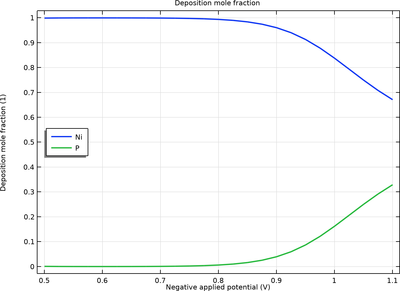
Electrochemical codeposition is a common low-cost method for producing metal alloys. This tutorial model demonstrates electrodeposition of a nickel (Ni)–phosphorous (P) alloy. The model accounts for charge and mass transport of a multitude of species along with multiple electrode ... Read More
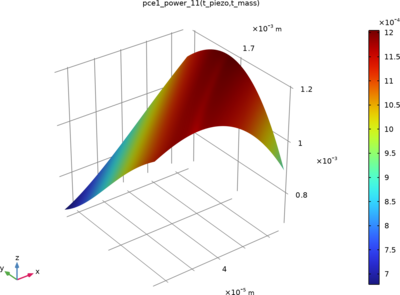
Uncertainty Quantification (UQ) is used to study the effect of manufacturing variation on the performance of Piezoelectric Energy Harvester. This tutorial shows how UQ studies are specified for a frequency domain study that calculates the energy harvester's power output. Read More
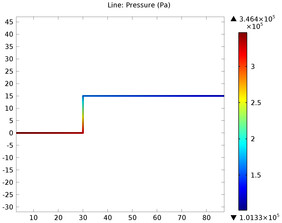
This tutorial model illustrates how to calculate the pressure drop and initial flow rate in a pipe system connected to water tank. The Pipe Flow interface contains ready to use friction models accounting for the surface roughness of pipes as well as pressure losses in bends and valves. Read More

Basin-type insulators are essential components in Gas-Insulated Metal-Enclosed Switchgear (GIS). During manufacturing, the epoxy resin curing process can generate residual stresses that may lead to crack formation. Over time, such cracks can trigger partial discharges, degrading the ... Read More
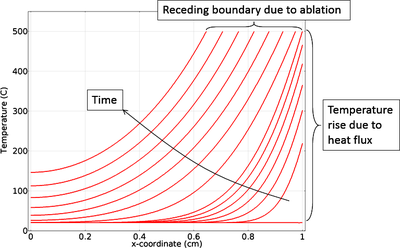
This example exemplifies how to model thermal ablation by taking into account material removal. A more detailed description of the phenomenon and the modeling process can be seen in the blog post "Modeling Thermal Ablation for Material Removal". Read More
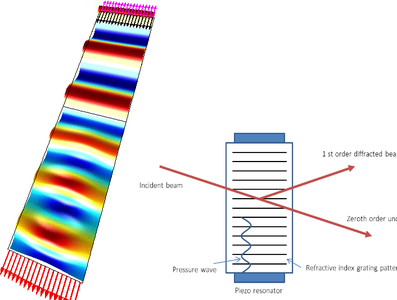
An acousto-optic modulator (AOM) is a device which can be used for controlling the power, frequency or spatial direction of a laser beam with an electrical drive signal. It is based on the acousto-optic effect, that is, the modification of the refractive index by the oscillating ... Read More
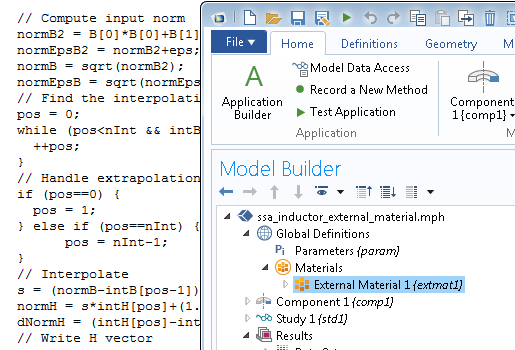
The AC/DC magnetic interfaces support material models defined in external C code. You can access external material functions, written in C code, which have been compiled into a shared library. By writing a wrapper function in C code, you can also use material functions written in another ... Read More
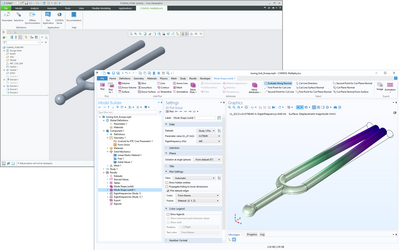
This model computes the fundamental eigenfrequency and eigenmode for a tuning fork that is synchronized from PTC Creo Parametric™ via the LiveLink™ interface. The length of the fork is then optimized so that the tuning fork sounds the note A, 440 Hz. Read More


