
The Application Gallery features COMSOL Multiphysics® tutorial and demo app files pertinent to the electrical, structural, acoustics, fluid, heat, and chemical disciplines. You can use these examples as a starting point for your own simulation work by downloading the tutorial model or demo app file and its accompanying instructions.
Search for tutorials and apps relevant to your area of expertise via the Quick Search feature. Note that many of the examples featured here can also be accessed via the Application Libraries that are built into the COMSOL Multiphysics® software and available from the File menu.
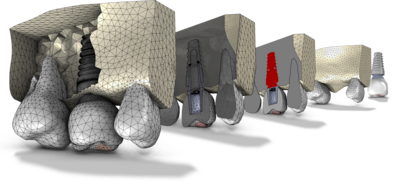
Learn how to combine imported CAD with STL meshes in COMSOL Multiphysics using an example of a dental implant. The STL mesh is prepared in a Mesh Part, the imported CAD assembly is prepared in the Geometry sequence, and the two are combined in a Mesh-Based Geometry sequence. Watch this ... Read More
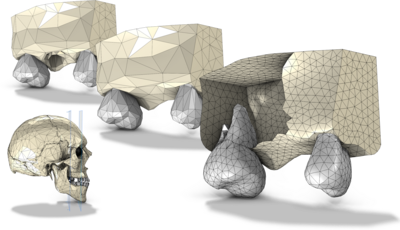
Learn how to repair, edit and combine imported surface meshes in COMSOL Multiphysics. This model demonstrates how to cut out a part of the upper jaw, remove elements from the mesh, and combine the meshes of the teeth and bone. Watch this video on editing, repairing, and combining ... Read More

This document explains how to install and run COMSOL Multiphysics® and COMSOL Server™ with Amazon Elastic Compute Cloud™ (EC2™). This requires that you have first acquired a Floating Network License (FNL) or COMSOL Server License (CSL) from COMSOL. The license manager ... Read More

This document explains how to install and run COMSOL Multiphysics® and COMSOL Server™ with Microsoft® Azure. This requires that you have first acquired a Floating Network License (FNL) or COMSOL Server License (CSL) from COMSOL. The license manager software can run ... Read More
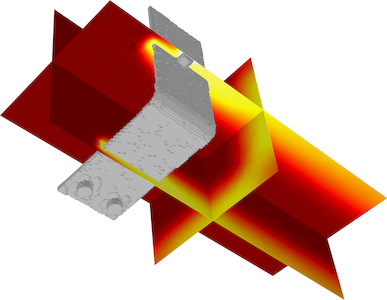
In COMSOL Multiphysics, you can import mesh and interpolation data created by other software for use in your simulations. You can also export data created in COMSOL Multiphysics to use in other COMSOL models and applications as well as other software. This document and accompanying ... Read More
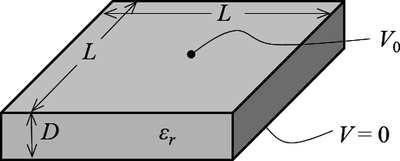
This example exemplifies how to compute the design sensitivities of your COMSOL Multiphysics® model. A more detailed description of the modeling process can be seen in the blog post "Computing Design Sensitivities in COMSOL Multiphysics". Read More
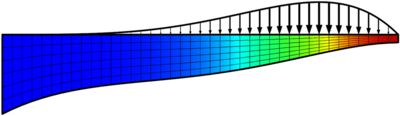
This example exemplifies the basics in how to optimize shapes using COMSOL Multiphysics®. A more detailed description of the phenomenon and the modeling process can be seen in the blog post "Designing New Structures with Shape Optimization". Read More
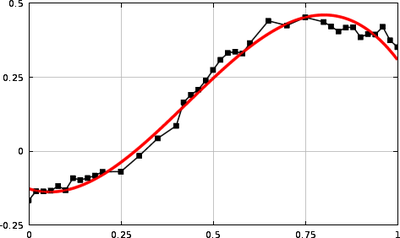
This example exemplifies how curve fitting can be performed in COMSOL Multiphysics®, and how this can be applied to your modeling. A more detailed description of the phenomenon and the modeling process can be seen in the blog post "Curve Fitting of Experimental Data with COMSOL ... Read More
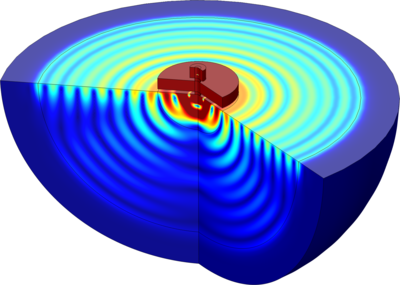
This model shows how to compute the anchor loss limited quality factor of a diamond disc resonator. The resonator is anchored to the substrate by a polysilicon post and power is transmitted to the substrate through the post. A perfectly matched layer is used to represent the essentially ... Read More
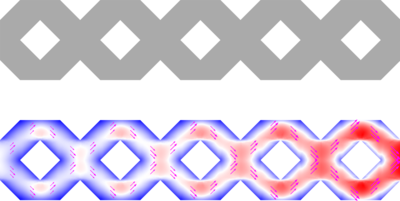
This model simulates transition flow through a microchannel using the Transition Flow interface in COMSOL Multiphysics®, which solves the Boltzmann BGK equation. The analysis is carried out to understand the fluid flow behavior across five different pore-length (porosity) configurations, ... Read More


