
Learning Center
Getting Started With COMSOL Multiphysics®
Press O for more options
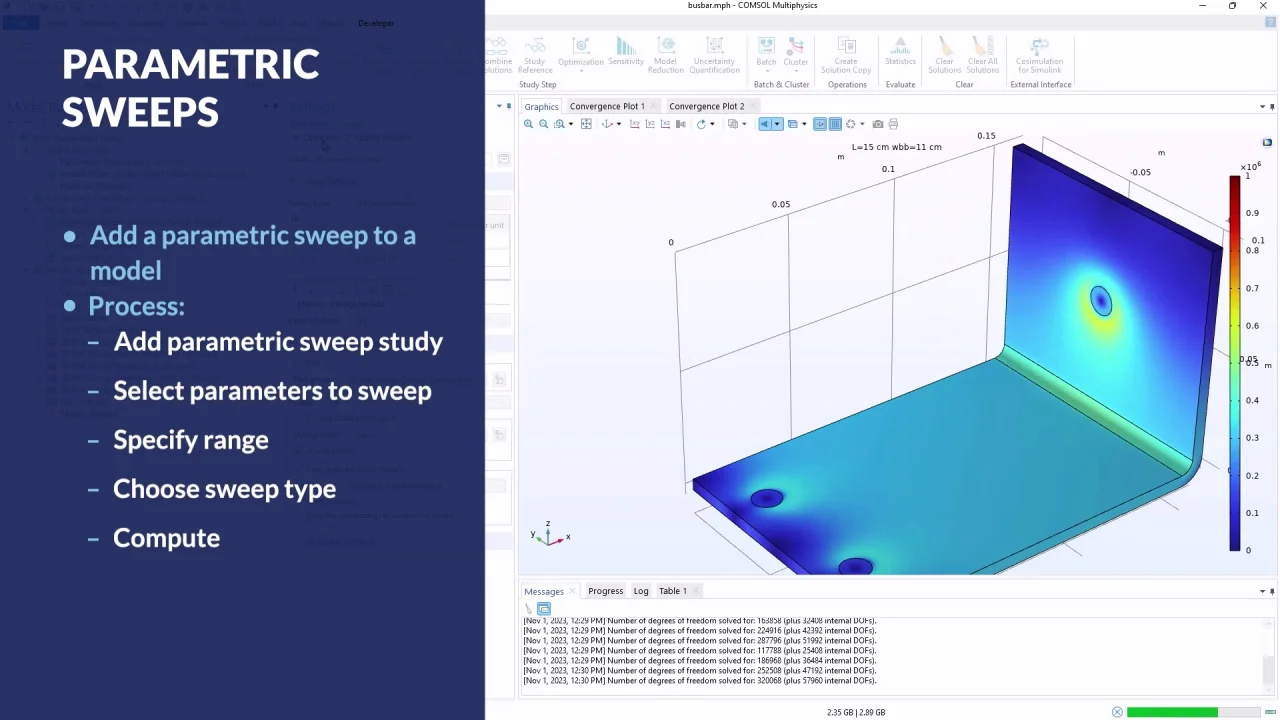
Performing a parametric sweep in COMSOL Multiphysics allows users to efficiently explore how variations in model parameters affect simulation results. In the busbar tutorial model, users can parameterize elements such as the length and width of the busbar and conduct a parametric sweep to observe the impact of these changes without manually adjusting and re-solving the simulation for each parameter value. This process is facilitated through the study tab in the ribbon or the study node in the model builder window, where users can add parameters and define their values.
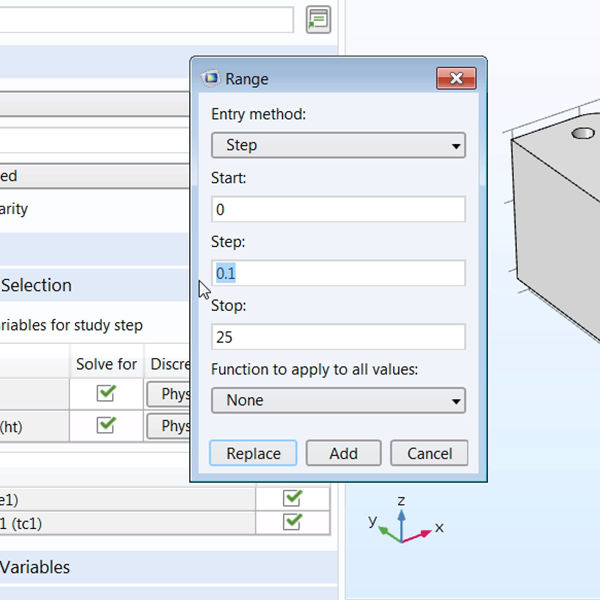
Users can specify parameter values by entering a list separated by spaces or commas, including units, or by defining a range. The range entry method offers several options: step, number of values, logarithmic, and ISO preferred frequencies. The step method requires a start and stop point and a step size, while the number of values method requires a start and stop point and the desired number of values, with the software calculating the step size automatically.
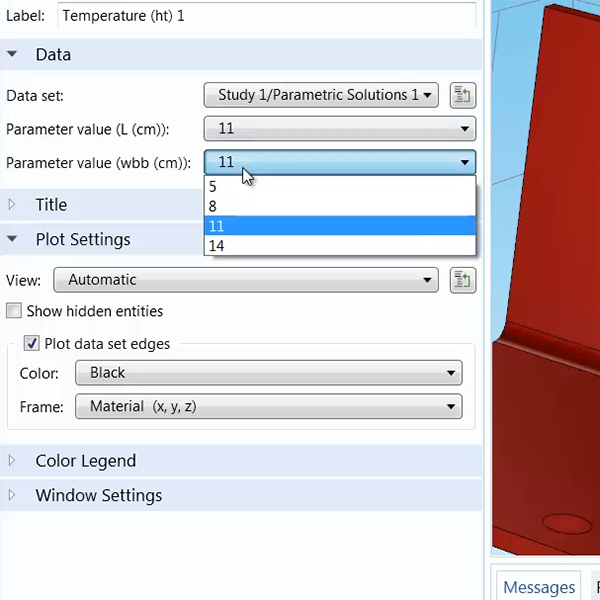
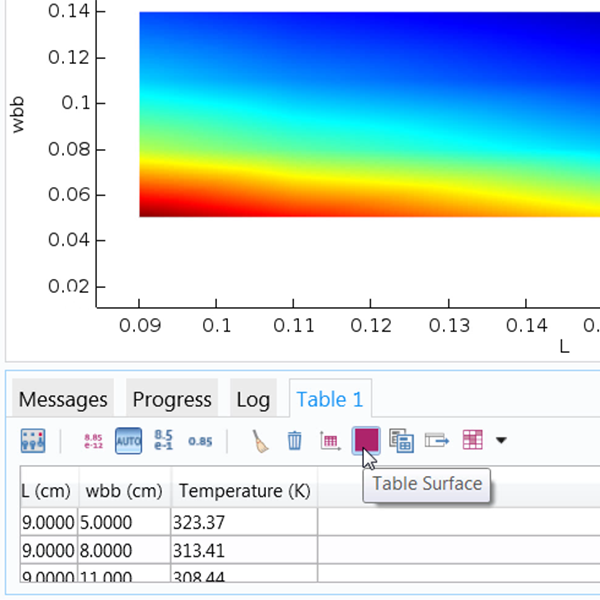
The sweep type options include specified combinations, all combinations, or parameter switch. Specified combinations test parameter value combinations exactly as listed, resulting in a sweep with solutions equal to the number of parameter values. For example, with four values for each parameter, the sweep yields four solutions. The all combinations type tests every possible combination, producing more solutions, such as 16 for four values per parameter. Additional settings allow real-time plotting of solutions during the simulation, enabling users to view results dynamically in the graphics window. Once the model is solved, users can switch between parameter values in the results plots to analyze changes.
Study / Parametric Sweeps
Sweep through and solve variations of a model. Duration: 3:28In product development, it is often necessary to solve several variations of a model to find its design's optimal properties. Instead of manually changing these property values and re-solving each time, you can perform a parametric sweep with COMSOL Multiphysics®. A parametric sweep allows you to change the parameter values through a specified range.
In this tutorial video, we will teach you how to implement a parametric sweep with the COMSOL® software.
-
Introduction
-
User Interface
-
Geometry
-
Definitions
-
Materials
-
Physics
-
Mesh
-
Study
-
Results
-
Application Builder


