

A perennial challenge when using simulation software such as COMSOL Multiphysics® is how to efficiently bring in and convert data from other sources. The first few times such a task crosses your desk, you might do the conversion by hand. But these tasks often grow in scope, and you may be asked to convert the same kind of data repeatedly. In this blog post, we will take a look at how AI tools can work with COMSOL® to help turn your knowledge of these conversions into a reusable workflow.
Understanding the Pain Points of Data Transfer
We are frequently asked how data that is in different formats can be brought into COMSOL®. This data often lives in text files, and the file formats can be unique, with no translation tools available. Our customers may understand those formats quite well, while we have a strong understanding of how such data should be used within COMSOL®. In this situation, AI can significantly reduce the effort needed to implement a data translation workflow. Let’s look at this in the context of a specific scenario.
A Sample Scenario
Suppose we have been given a text file containing a description of a lumped thermal model. A lumped model is a bit different from the finite element models you may be familiar with in COMSOL Multiphysics®. Lumped models use nodes that represent volumes of material. Each volume has a known density and specific heat, so each node has an associated thermal mass. The temperature of a node can increase due to an applied heat load, and heat can flow between nodes by either conduction or radiation, computed based on the temperature difference between two nodes. We can also consider nodes that are at a fixed temperature, called temperature sinks. To make this more concrete, we will put together a very simple lumped model of a satellite in deep space.
The satellite model that we will work with is shown in the figure below. It is a box structure with two solar panels protruding from either side. The six sides of the box and the two solar panels are each represented by a single thermal node. There is conductive heat flux between adjacent faces of the box structure and radiative heat flux between the side faces and the solar panels. There is also radiative heat flux from all faces to deep space. The objective of this model is to compute temperature over time, starting from an initial temperature. We will assume that solar and planetary loads are negligible, such as when a geostationary satellite goes into eclipse, and that the only load is due to a heater on one node.
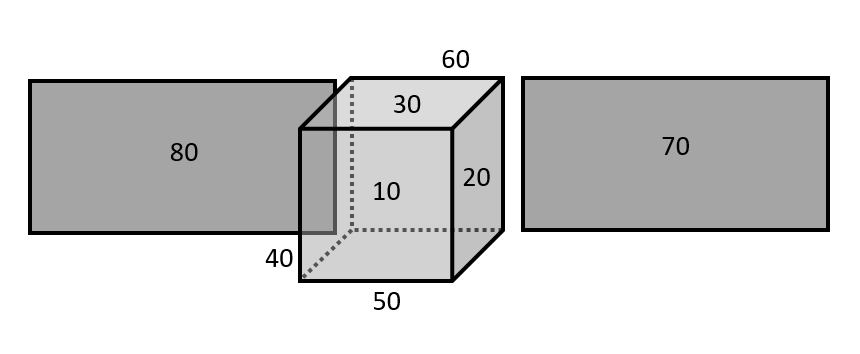 Schematic of an eight-node lumped thermal model of a satellite. There is conduction between the nodes of the box, as well as radiation from all nodes to deep space.
These types of lumped models are quite common, and a number of different file formats are used to represent them. To keep the example format-agnostic, we will generate a file that is similar in spirit, if not in exact syntax, to these formats. As we will see, the exact syntax is not the main point. An excerpt of our sample file is shown below:
TSINK, 99, 2.7 # Thermal Sink 99

NODE, 10, 300, 12150 # Node 10

…

NODE, 80, 300, 3220  # Node 80

LOAD, 60, 750 # Load on node 60

CON, 1020, 10, 20, 0.71 # Conductor 10 - 20

…

CON, 5020, 50, 20, 0.71 # Conductor 50 - 20

RAD, 2070, 20, 70, 8.9e-9 # Radiation 20 - 70

…

RAD, 8099, 80, 99, 1.8e-7 # Radiation 80 - 99
There are five types of data in this file: TSINK, NODE, LOAD, CON, and RAD. These represent temperature sinks, temperature nodes with mass, thermal loads on particular nodes, conductive connections between nodes, and radiative connections between nodes or between a node and a sink. The information after the # symbol is a comment. If you are familiar with similar types of files, the above format can be described as a new dialect in the computer science sense.
To borrow a few more phrases from computer science, the information in this file describes a connected graph, where the records describing conduction and radiation are edges between the nodes. This is particularly useful, since AI tools are good at dealing with these types of data structures. Let’s keep that in mind for later, but now let’s turn our attention to getting this data into COMSOL®.
The COMSOL Equivalent
Although COMSOL Multiphysics® does include a Lumped Thermal System interface as part of the Heat Transfer Module add-on, we want something with a little less overhead for larger models. The simplest equivalent for representing the data above is to use the Global Equations interface. Since the data we are trying to import represents a three-dimensional structure, but the input file does not contain enough information about the shape and dimensions of the geometry, representing the model in an abstract format is justified.
The Global Equations interface enables us to represent the graph network as a coupled system of ordinary differential equations, so equations of the form:
These equations can be represented within the user interface as shown in the screenshot below. We can also write out, and read in, a whole set of these global equations using the Save to File and Load from File buttons.
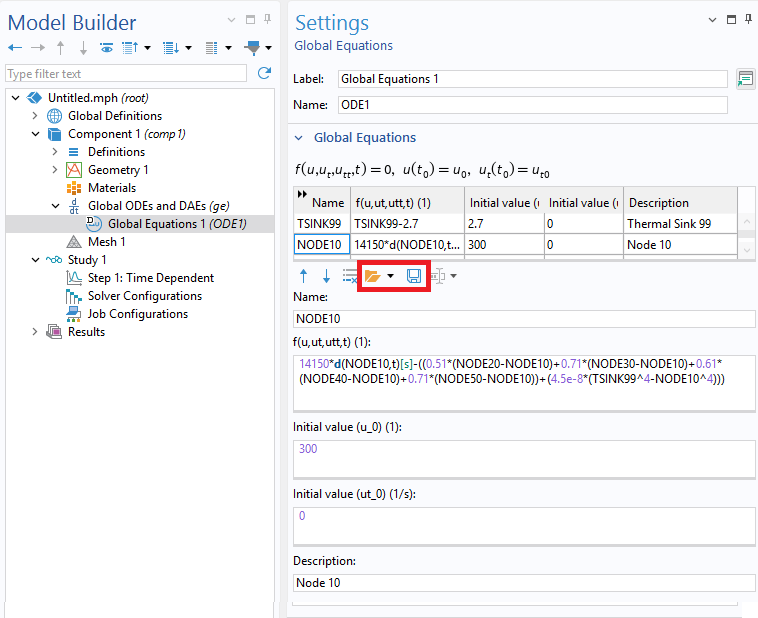 Screenshot showing how to implement a set of ordinary differential equations. Note also the Save and Load buttons.
The model that we’re trying to reproduce here can be set up with nine entries for the nodes and the sink. I put these together by hand. It was a bit tedious, but I knew that I would only need to do it once, so it was worth the effort. Note that the original file was written with an assumed set of units, so all equations were nondimensionalized. After entering this into the user interface, I wrote the model out to a text file. A few lines are shown below:
NODE10 12150*d(NODE10,t)[s]-((0.71*(NODE20-NODE10)+0.71*(NODE30-NODE10)+0.71*(NODE40-NODE10)+0.71*(NODE50-NODE10))+(4.5e-8*(TSINK99^4-NODE10^4))) 300 0 "Node 10"

...

NODE60 12150*d(NODE60,t)[s]-((750)+(0.71*(NODE20-NODE60)+0.71*(NODE30-NODE60)+0.71*(NODE40-NODE60)+0.71*(NODE50-NODE60))+(4.5e-8*(TSINK99^4-NODE60^4))) 300 0 "Node 60"

...

TSINK99 TSINK99-2.7 2.7 0 "Thermal Sink 99"
Using AI to Build the Translator
At this point we should have a good understanding of these two files. We should also understand that a file with hundreds or thousands of entries will require some level of automation. What may not be so obvious is that we are converting graph data from an edge-list representation to an incidence-list representation that exploits sparsity. Readers with a little background in computer science will recognize that this type of conversion algorithm is not trivial to implement.
Fortunately, these are exactly the kinds of tasks that AI can help automate. To be clear, we are not going to ask AI to do the conversion; we are going to ask AI to write a general-purpose conversion tool. But what do we need to ask for? How do we instruct the AI tool to write the conversion tool for us?
We already have almost all of the data that we need within these two text files. All we need to do is upload them to the AI tool of choice and use a prompt along these lines:
Here is a file that contains nodes and sinks, representing nodes on a graph network. The connections between the nodes are defined by CON and RAD lines. Everything after a # is a comment. I need to convert the first file into the format of the second file. Please write out the transformation rules between them.
In this case, I used ChatGPT. After about a minute, it presented a full human-readable description of how to do the conversion. It was particularly impressive to me that the AI tool recognized that the file referred to a thermal problem and identified the nature of the nonlinear radiative term.
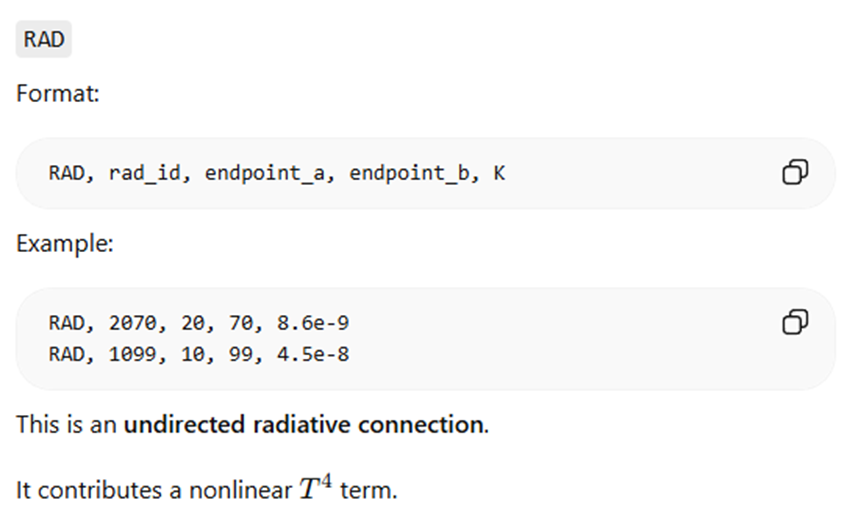 Excerpt of the ChatGPT output.
As I spent some time reviewing this output in detail, I gained confidence that the tool understood the task. Keep in mind that the input file uses a unique, undocumented dialect for describing a lumped thermal model. I needed only one more step: asking the AI tool to generate code that I could run independently. This required one more prompt:
Please write a monolithic piece of Java code that I can use in COMSOL's Method Editor to convert any file of the original type into this format.
I asked for Java code here because I wanted to run this entirely within COMSOL Multiphysics®. Just as ChatGPT had no difficulty understanding the unique dialect of the input file, it also had no difficulty writing code in the programming language I requested.
The resulting code was several hundred lines, so I will not show it here. I did, however, review it briefly and noticed that ChatGPT added comments for readability and even included error checking so that it would fail with an informative message if given an invalid file. The code compiled and ran without issues, and I was able to do some preliminary checking by generating results.
In general, it is important to verify and validate translation code, and the right approach depends on the form of the data. Sometimes a visual spot check of a few cases may be sufficient; other times, you may need to be more rigorous. One approach is to write a back-converter as well, essentially round-tripping the data and verifying that it still matches the original. We can use AI for this step as well.
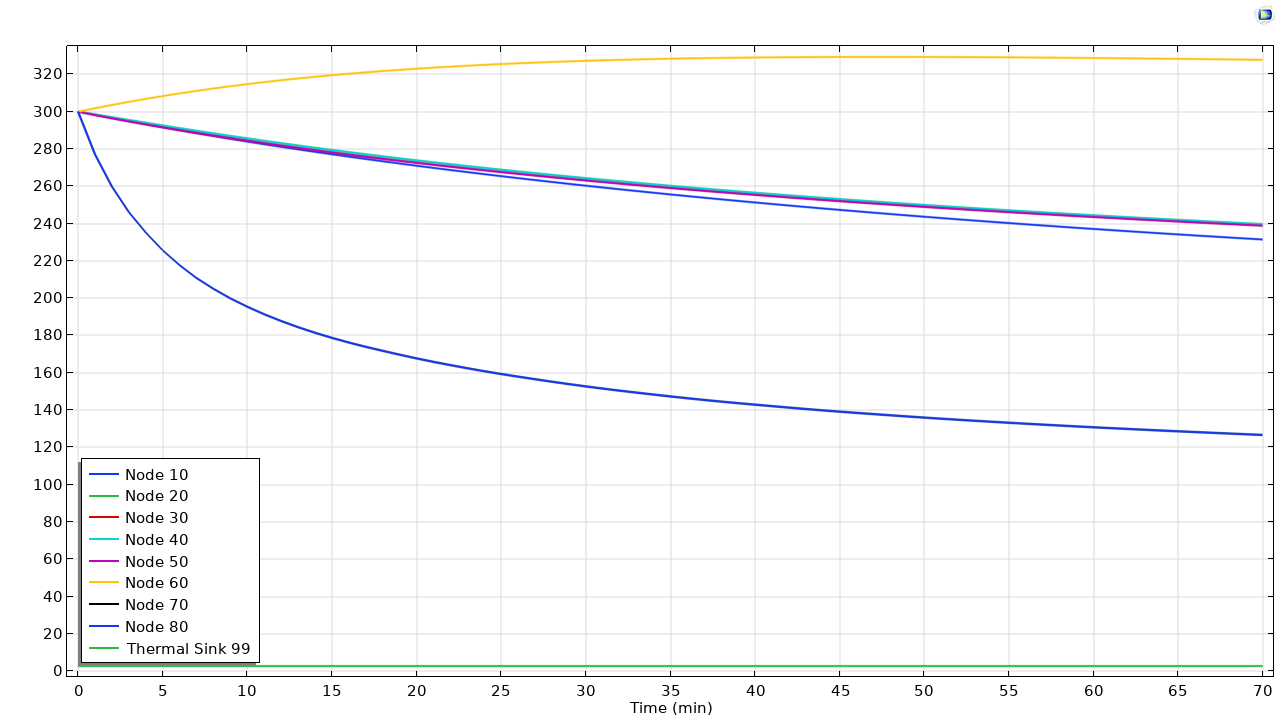 Sample output computed from the input file.
At this point, some readers may be asking: Why not just incorporate this translator into the COMSOL product suite? Let me emphasize that this example is a minimal thermal network file in a unique dialect. More practically, lumped thermal model files can incorporate many more record types, require collections of multiple files, and even contain customized code that implements, for example, a specific type of thermostatic control algorithm. Writing a general-purpose translator could involve covering many edge cases that might never arise in the same file. Furthermore, one-to-one translation is not always the best path. Sometimes you need to take a step back and understand the specific modeling intent of the person who created the original file. That is particularly true of these types of thermal network models, but that is a topic for another day.
Remarks on File Translation and AI in General
It is worth reemphasizing how little effort was required to get to this point. We already had the sample input file. We did spend some time figuring out how best to represent this within COMSOL® and generating sample syntax, but the interaction with the AI tool was minimal: Two files were uploaded, two prompts were given, and the results were applicable to any file using the same format. The total interaction time with the AI tool was a few minutes.
If you need to perform this type of structured data or file translation, you can become familiar with this workflow quickly. What if you need to incorporate more features? Try adding a few more lines of sample input and output, and then prompt the AI tool again. What about other data that you want to automatically bring into COMSOL? Your company may have a large proprietary material database in a custom format that you need to import. Use this workflow to write the translator. Keep in mind that the proprietary data itself does not need to be shared with the AI tool; only the data format is shared. What you get back is an algorithm and source code.
More broadly, as discussed in a previous COMSOL blog post, AI tools continue to improve rapidly. For the kinds of problems that COMSOL users need to solve, these capabilities are becoming increasingly useful.
For now, I will leave you with the results of one final prompt, where I asked the AI to draw its interpretation of the hardware represented by this file. The result is shown below. It is not quite there yet, but I will be sure to revisit this in a few months to see how things have changed.
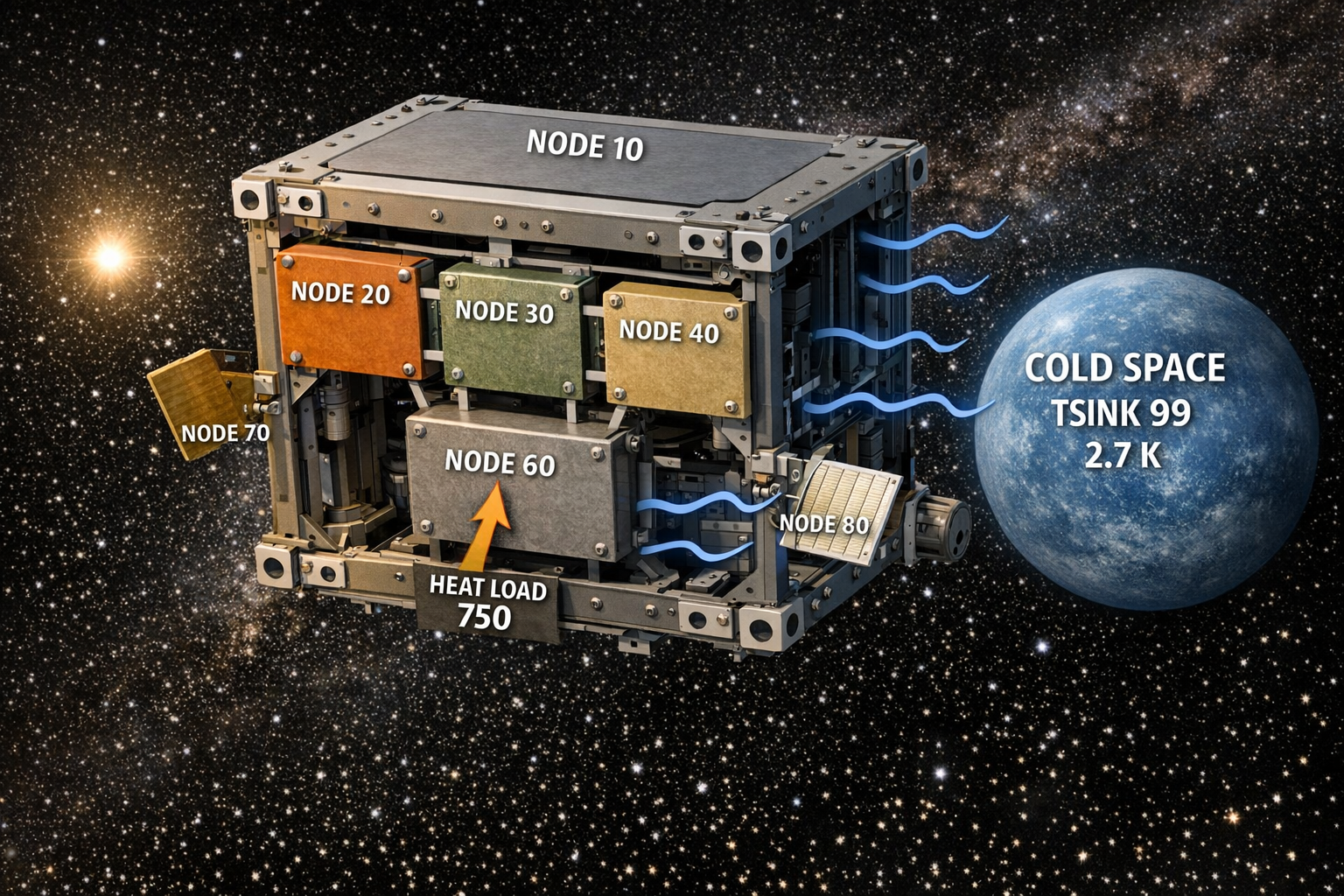 How AI interprets the global equations.
Next Step
How might you use this workflow to help with your COMSOL modeling? Leave your thoughts below, or contact us!





Comments (0)